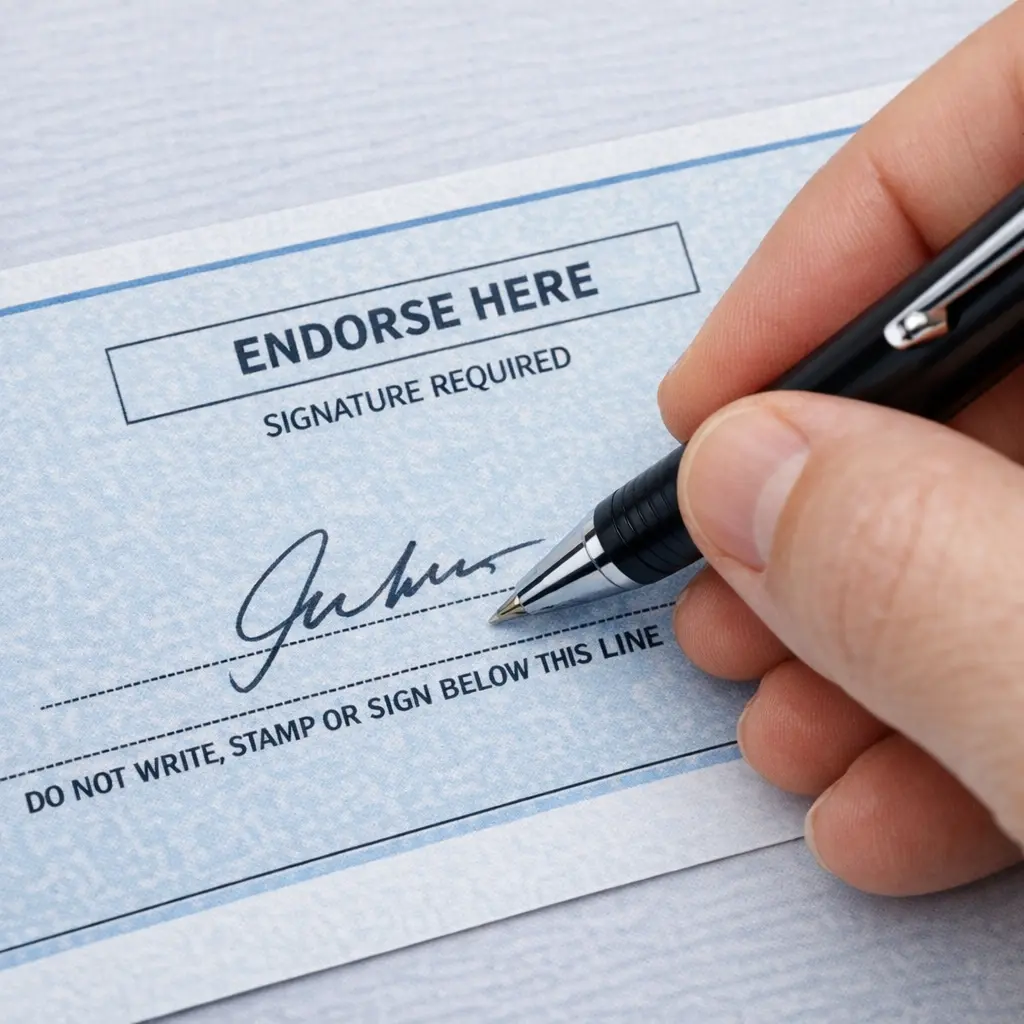
How you endorse a check depends on how you're depositing it. Sign in the designated box on the back, keeping everything inside the lines. Blank (just your signature) works for in-person deposits or cashing, but is the least secure. Restrictive ("For deposit only to account #___") is safest — the check can only go into that account. Mobile deposit usually needs "For mobile deposit only" plus your bank's name. Special/third-party ("Pay to the order of [name]") signs the check over to someone else — not all banks accept these. Business checks need the company name written first. When in doubt, use a restrictive endorsement and confirm your bank's exact wording.
What Endorsing a Check Actually Means
Endorsing a check means signing the back of it to authorize the bank to cash it or deposit the funds. It's required for nearly every check, and the bank uses it to confirm you're the person the check was made out to and that you're allowing the funds to move. You sign in the endorsement area — a marked box or line near the top edge of the back of the check — and it's important to keep your signature and any wording inside that area, since anything written outside it can cause a rejected deposit.
A plain signature is technically enough for many in-person deposits. But the specific wording you add above it changes what the endorsement allows — restricting the check to one account, authorizing a mobile deposit, or transferring it to someone else entirely. Getting it right matters for security and speed.
The 5 Types of Check Endorsement
1Blank Endorsement
Just your name, signed as it appears on the front of the check. Fastest option, but the least secure — once signed, the check can be cashed by almost anyone who has it, similar to cash. Best used only when you're standing at the teller window or ATM, ready to deposit immediately.
2Restrictive Endorsement
[Your Signature]
The safest option. It restricts the check so it can only be deposited into the specific account you list — it can't be cashed over the counter or handed to someone else. Use this any time you're not depositing the check the instant you sign it.
3Mobile Deposit Endorsement
[Your Signature]
Required by most banks for check deposits made through their mobile app. Some banks want the account's last 4 digits added too. Check your specific bank's app instructions before signing — exact wording varies, and a mismatch is one of the most common reasons a mobile deposit gets rejected.
4Special (Third-Party) Endorsement
[Your Signature]
Signs the check over to someone else, who then endorses it themselves before their bank accepts it. Not all banks accept third-party checks — call ahead to confirm, and expect to need both people present with ID in many cases.
5Business Endorsement
For deposit only to account #[account number]
[Authorized Signer's Signature]
For checks made out to a company. An authorized signer writes the business name first (matching the "Pay to the Order Of" line exactly), then endorses on behalf of the company, often with a restrictive endorsement added.
Which One Should You Use?
Quick decision guide
- Depositing at a teller right now? Blank or restrictive both work — restrictive is still safer.
- Depositing via mobile app? Use the mobile deposit wording your bank requires.
- Not depositing immediately, or mailing the check? Always use a restrictive endorsement.
- Giving the check to someone else? Use a special endorsement, and confirm the receiving bank accepts it first.
- Check made out to a business? Use the business endorsement format with an authorized signer.
Never sign a check with a blank endorsement in advance. If you sign now and plan to deposit later, you've turned the check into something anyone can cash if it's lost or stolen — with no way to trace it back to a specific account. Wait until you're actually at the bank, ATM, or ready to submit the mobile deposit before you sign.
If Your Endorsement Gets Rejected
The most common outcome of an incorrect endorsement is simply a delay — the bank rejects the deposit, sends the check back, or places an extended hold until it's resolved. This happens most often with mobile deposits, since banks scan the endorsement automatically and require exact wording; if "For mobile deposit only" is missing, illegible, or written outside the box, the app may decline it outright.
For in-person deposits, a teller will usually just catch the error and ask you to sign again — a quick fix. If a third-party endorsement is rejected, contact the bank directly, ask exactly what format they require, and correct it before resubmitting rather than guessing.
The bottom line: The right endorsement depends entirely on how and when you're depositing the check. For most everyday deposits, a restrictive endorsement — "For deposit only to account #___" — is the safest default because it limits the check to one destination no matter what happens to the paper afterward. Save a plain signature for the moment you're actually handing the check to a teller or ATM, use your bank's exact mobile-deposit wording for app deposits, and confirm with the receiving bank before signing a check over to someone else. A few extra seconds of the right wording protects your money and keeps your deposit moving without delay.
Frequently Asked Questions
What does it mean to endorse a check?
Signing the back of a check to authorize the bank to cash it or deposit the funds into an account. It's required for nearly every check, and confirms you're the payee and are giving permission for the funds to move. You sign in the designated endorsement area on the back, and everything should stay inside that box — writing outside it can get a deposit rejected. A plain signature works for many in-person deposits, but the wording you add above it changes what's allowed — restricting the check to one account, authorizing a mobile deposit, or transferring it to someone else. Choosing correctly matters because the wrong endorsement can delay your deposit or, for a lost or stolen check, make it easier for someone else to cash.
What is the safest way to endorse a check?
A restrictive endorsement — writing "For deposit only to account #[your account number]" above your signature, instead of just signing your name (a blank endorsement). This restricts the check to that specific account; it can't be cashed over the counter or signed over to someone else. This matters because a blank-endorsed check can be cashed by nearly anyone who has it, like cash — if it's lost or stolen before you deposit it, whoever finds it could potentially cash it. Many banks also require restrictive-style wording ("For mobile deposit only") for app deposits. As a rule, avoid signing with just your name until you're at the teller window or ready to submit the mobile deposit immediately, since that's when a check is most vulnerable to misuse.
How do you endorse a check for someone else to cash?
Use a special (third-party) endorsement: write "Pay to the order of [the other person's full name]" in the endorsement area, then sign your own name underneath. This transfers your right to cash or deposit the check to them, and they'll need to endorse it themselves before their bank accepts it. Not all banks accept third-party checks, since they carry more fraud risk — call ahead to confirm the receiving bank's policy, and expect some banks to require both people present with valid ID. Because of these restrictions, signing a check over to someone else works best for smaller amounts between people who know each other, or when you can go to the bank together; for larger amounts, depositing it yourself and sending money electronically is often simpler.
What happens if you endorse a check wrong?
Most commonly, just a delay: the bank may reject the deposit, send the check back, or place an extended hold until it's resolved. This is especially common with mobile deposits, since banks scan the endorsement automatically and require exact wording like "For mobile deposit only" plus your bank's name — if it's missing, illegible, or outside the endorsement box, the app or bank may decline the deposit. For paper deposits at a branch or ATM, a teller usually catches it and just asks you to sign again, a quick fix. More serious issues can arise from a botched third-party endorsement that creates ambiguity about who's authorized to receive the funds, leading to a longer delay or a rejected deposit requiring a replacement check. If rejected, contact your bank, confirm the exact wording they require, and correct it before resubmitting.
Sources & References
- Wells Fargo — How to Endorse a Check: blank vs restrictive vs special vs business vs mobile deposit endorsements, security implications
- PNC Insights — How to Endorse a Check: restrictive endorsement security, bank-specific mobile deposit wording, business endorsement steps
- Orange Bank & Trust — How to Properly Endorse a Check: endorsement area rules, blank vs restrictive vs special endorsement types
- Armed Forces Bank — How Do I Endorse a Check for Deposit: third-party endorsement requirements, mobile endorsement format
- GOBankingRates — How to Endorse a Check for Mobile Deposit: step-by-step signing process, common rejection causes
- Charles River Bank — Mobile Deposit Endorsement: federal regulation on required mobile deposit wording, rejected-deposit consequences